

Ohh I gotcha... There is a units setting for each drawing file. Type units at the command line and you can set it.
-
-
-
hey squid,
what file extension would somone have to save their work in solid works for me to be able to open it up in autodesk autocad 3D as a solid image/ 3D image.
thankyou,
Ryan M.Comment
-
Solid works should be able to export to DWG which should work for you!Comment
-
ok i let my guy know. he is on different time so ill see what he comes up with.Originally posted by sQuidvisionComment
-
so aparently i am thinking way to small when it comes to 3d drawing.
i just watch a guy make a pitcher for pooring water out of just a few lines.
full 3D in the end.
i have so much to learn.


Comment
-

how do i make these 3 seprate objects exactly the way they are but filling the voids and making this on solid object?
help please.
thankyou,
KNM.Comment
-
i would create a polyline using the three endpoints of your triangular area then extrude it the length of your rails, then repeat on the other side. once you have your gaps filled use union to join everything together.Comment
-
-
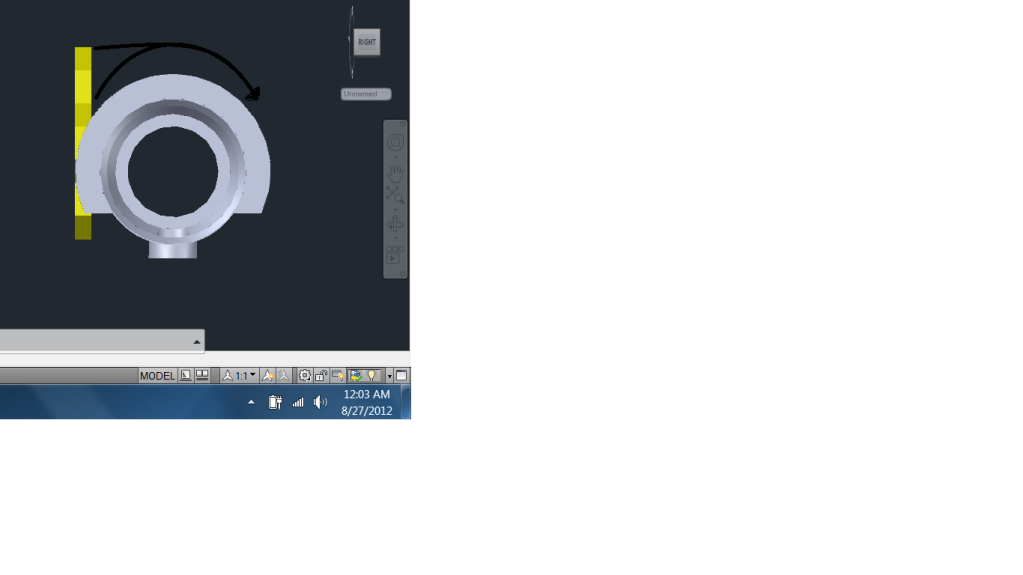
how do i get the top of the yellow to wrap around the other object?
and
to protrude into the body the same way the bottom half of the yellow object is.
any of this make sense?
is this even possible?
Comment
-
How did you create the yellow object?Comment
-
its the AO honey comb logo, built from boxes.Originally posted by sQuidvision
then after i made a hexigon i copied it and snaped six copies to the center origional and then, used union to make all 7 peices one.
that help?Comment


Comment